Work AIB Life
Replacing a fragile Excel workbook with a guided tool for financial advisers
A hub and spoke Power App that keeps advisers in the conversation with their client, not wrestling a spreadsheet.
Project summary
- Discovery to build ready design
- 2 months
My role
I led the UX and visual design, from adviser interviews and workshops to a build ready Power App design, inside Power Apps' platform constraints.
- Client
- AIB Life
- Timeline
- 2024, 2 months from discovery to build ready design
- Team
- Presidio (formerly Ergo) delivery team, AIB Life advisers and stakeholders
A fragile spreadsheet in the middle of client meetings
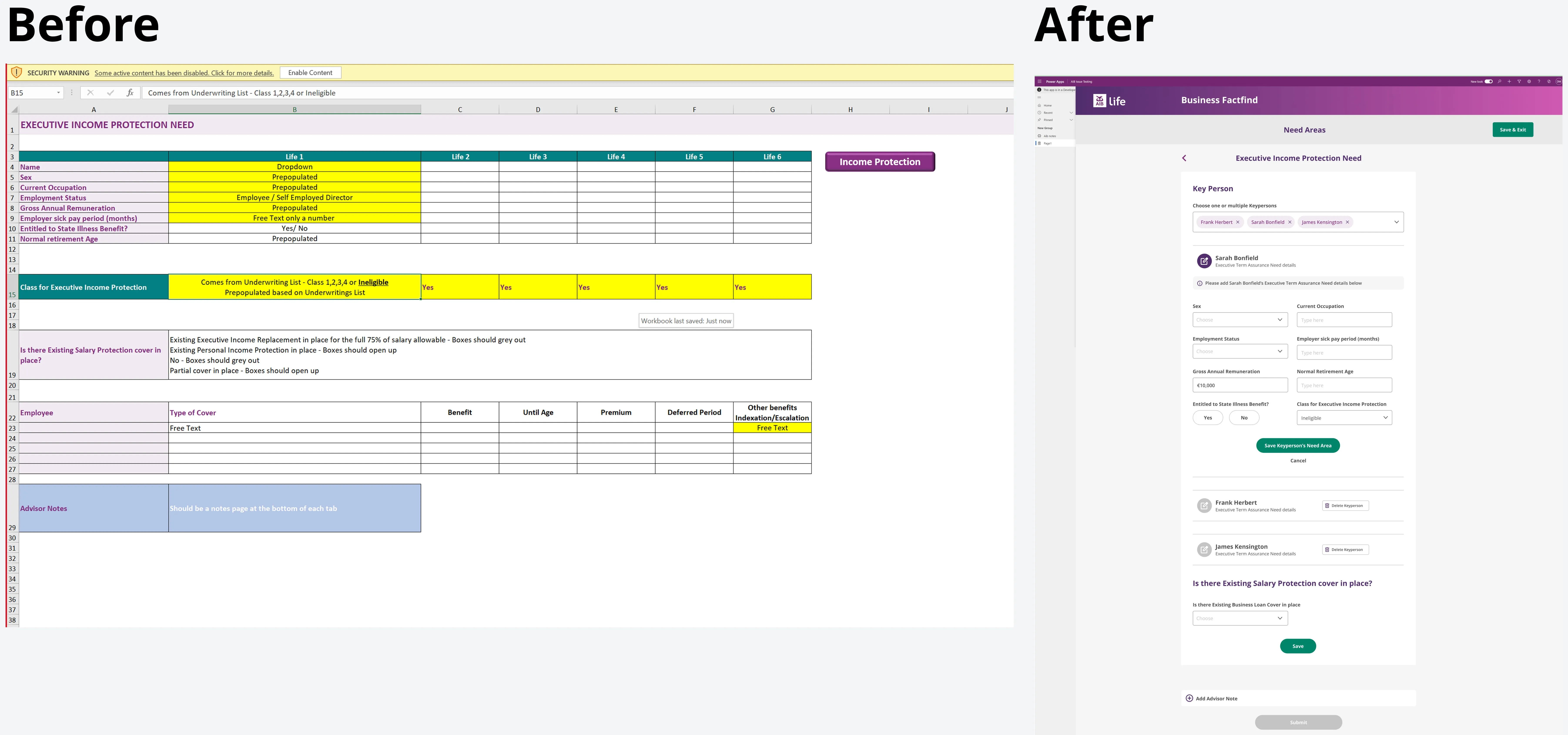
Advisers fill in a fact find while sitting with a client. They were using a macro heavy Excel workbook with logic hidden across sheets, so they jumped between tabs mid conversation, made entry errors and lost focus on the client.
The new tool had to be built in Power Apps, which limits layout and components, and match AIB’s digital brand.
My role
What I owned
- Adviser interviews and workshops
- Information architecture and the hub and spoke structure
- Interaction and visual design within Power Apps' limits
- A lightweight branded component set with usage notes
What the wider team owned
- Business rules and compliance (AIB Life)
- Power Apps build and data (engineering)
- Delivery planning (Presidio)
Three decisions that kept advisers focused on the client
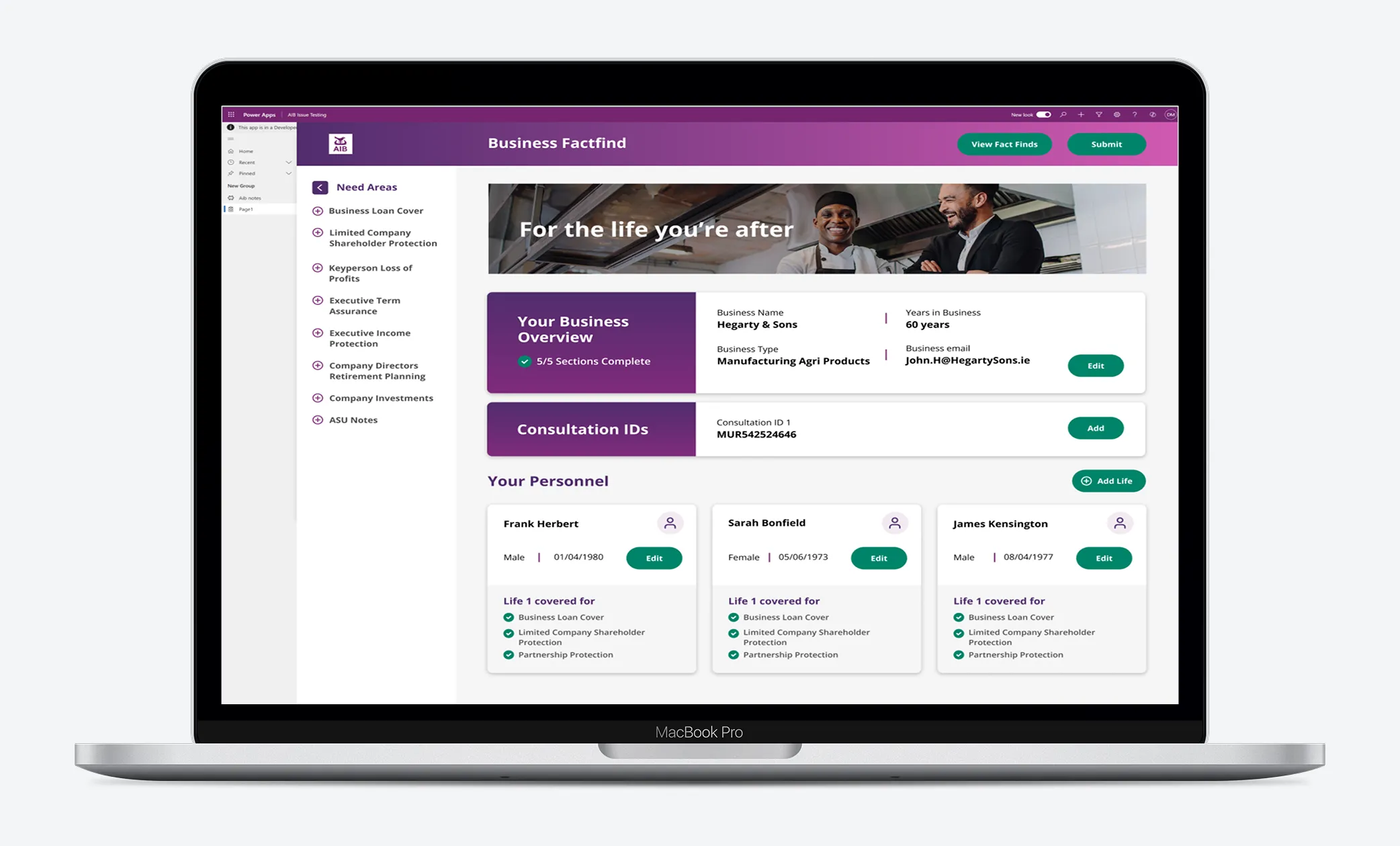
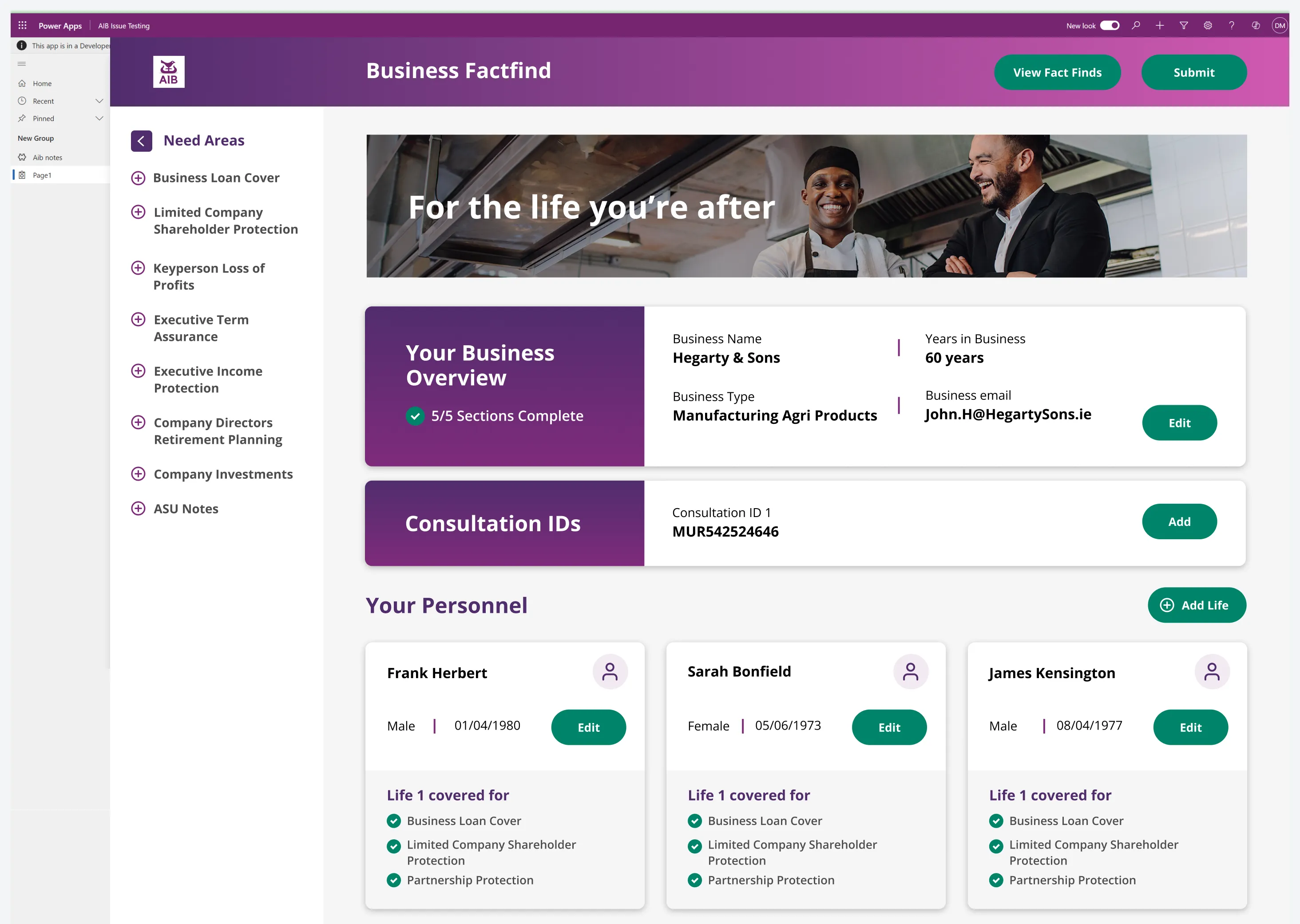
Hub and spoke, not one long wizard
- The tension
- A wizard is the obvious fix for a messy form, but fact finds don't follow a fixed order. The conversation goes wherever the client takes it.
- Options on the table
- A strict start to finish wizard
- A central hub linking out to focused forms for each need
- What I chose and why
- Hub and spoke. The hub shows what's been captured at a glance, and advisers can jump to any need area as the conversation moves.
- What we traded away
- A little more navigation, kept manageable with clear completion states on the hub.
One task per screen
- The tension
- Advisers were used to seeing everything at once, but that's exactly what made the workbook hard to use in front of a client.
- Options on the table
- Dense screens that mirror the workbook
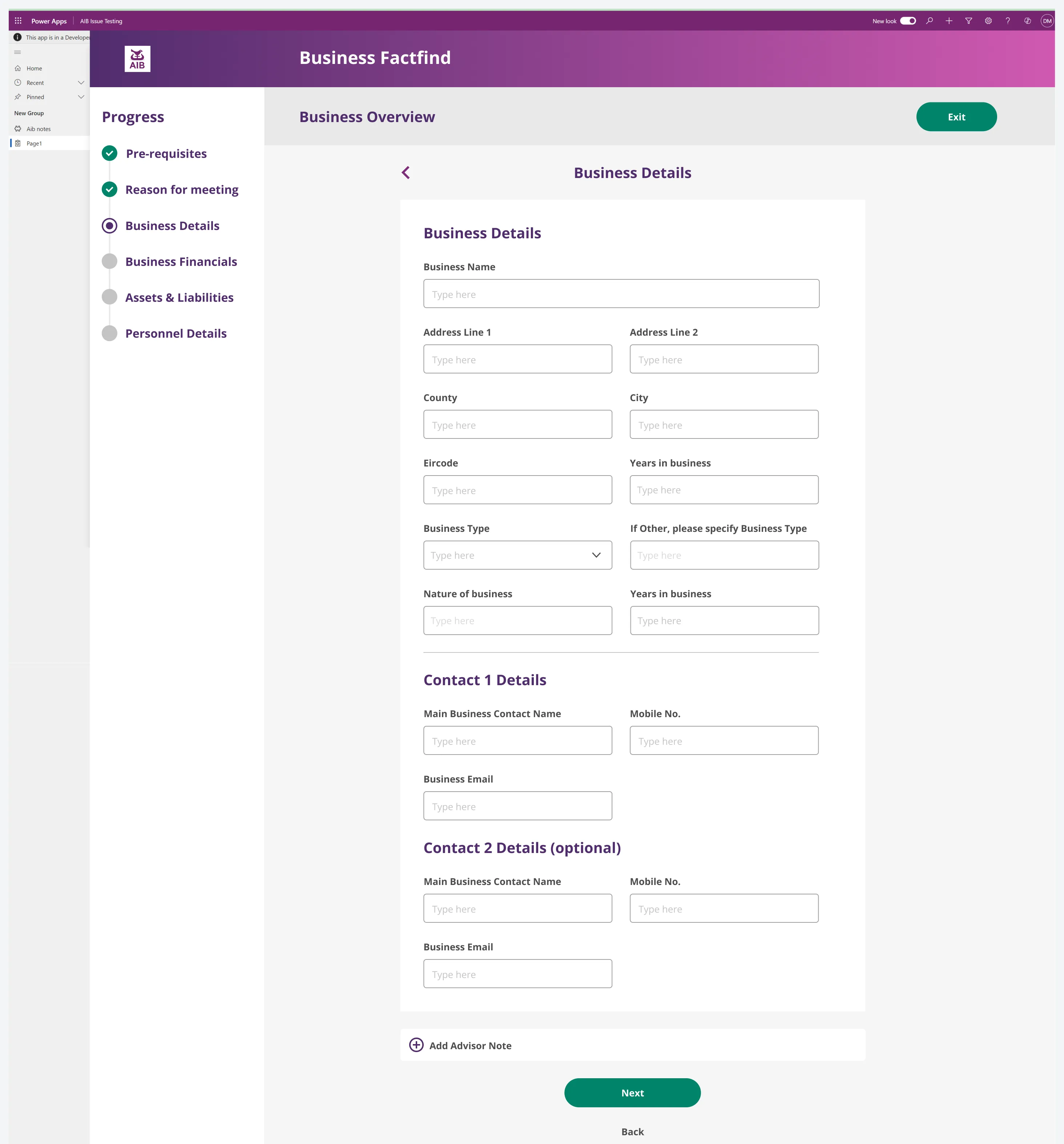
- Short forms covering one task each, with a progress tracker
- What I chose and why
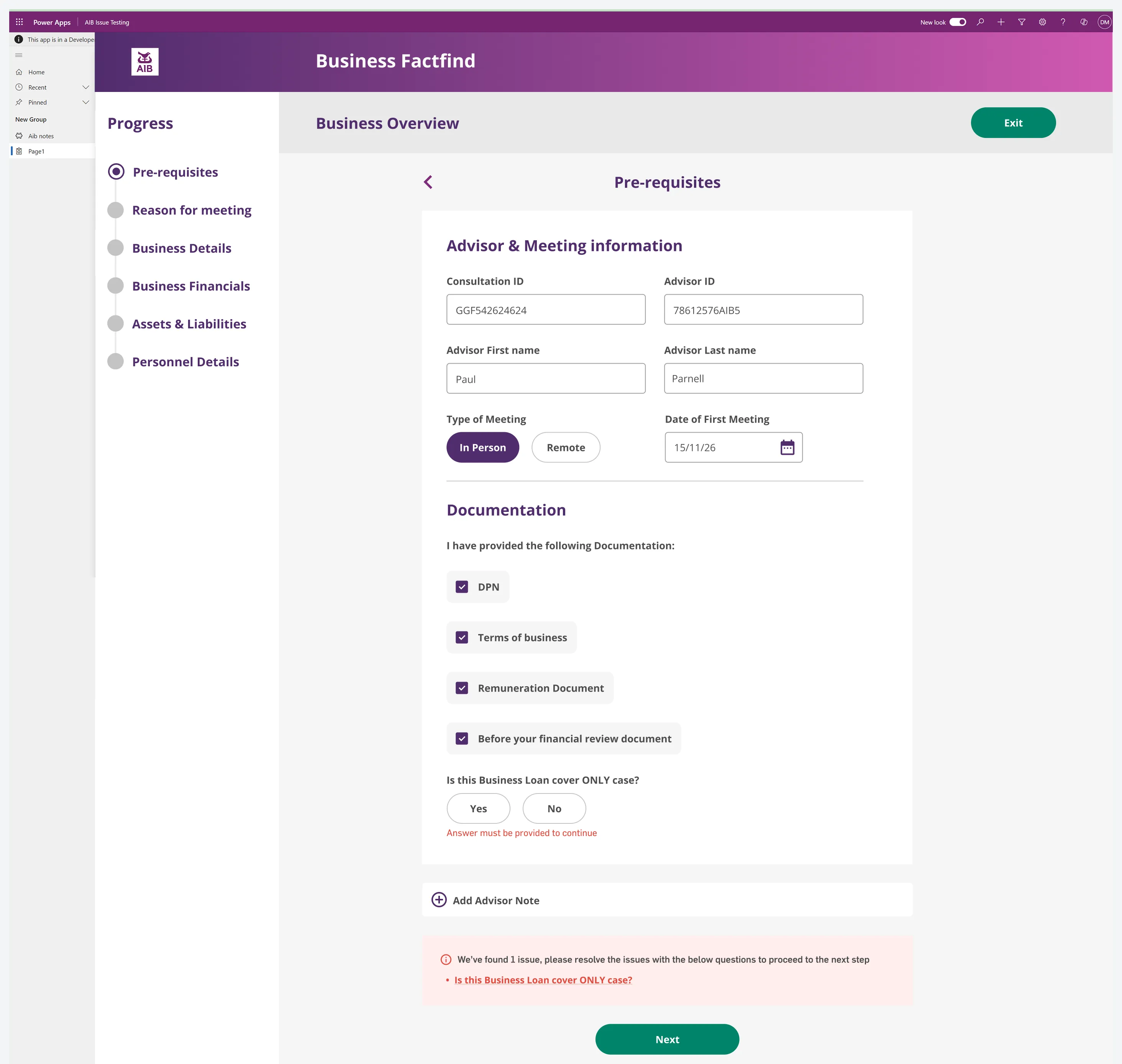
- One task per screen, with progress down the side so the adviser always knows where they are.
- What we traded away
- More screens overall. The hub keeps the overview, so nothing is lost.
Catch errors while the client is still in the room
- The tension
- In the workbook, mistakes surfaced late, sometimes after the client had left.
- Options on the table
- Validate everything on submit
- Inline validation with a clear summary of what to fix
- What I chose and why
- Inline messages on the field itself, plus a summary above Next that links straight to each problem.
- What we traded away
- More validation rules to agree with AIB up front.
Starting from proven patterns and real advisers
I started from form patterns already proven on the SBCI Hub, then ran interviews and workshops with AIB advisers to see how they really used the workbook.
Validating as we went, on a two month timeline
With two months from discovery to build ready, validation ran as a loop: regular check ins with the AIB team reviewed the latest designs, and anything missed was fixed on the spot before build.
Fewer errors and less admin
- Faster fact finds with fewer errors
- Better quality data captured first time
- Less admin after the meeting
What I’d do differently
- Constraints sharpen the design. Power Apps’ limits pushed us towards simple, consistent patterns that were easier for advisers anyway.
- Next time I’d fit in a short session with two or three advisers using the prototype with a mock client, to test the flow under real conversational pressure.